Street Custom
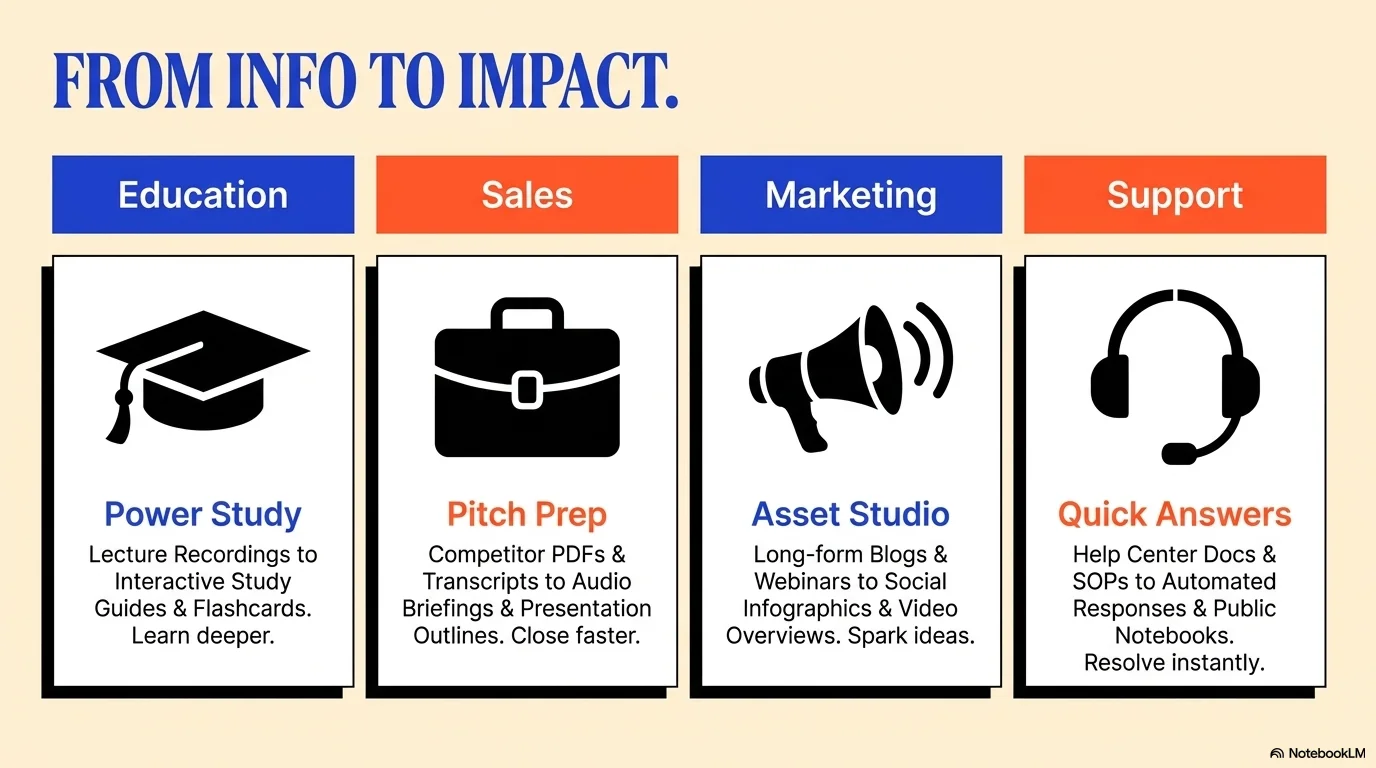
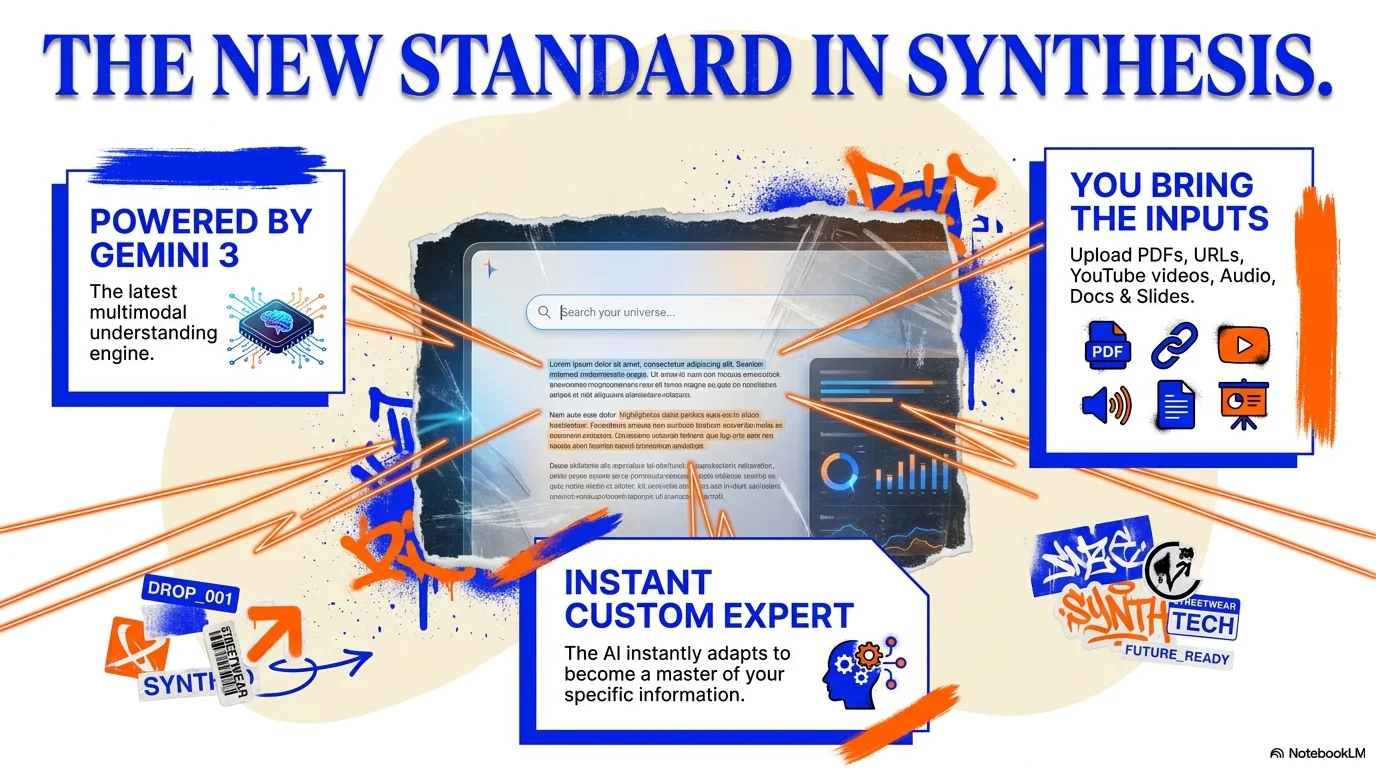
A high-energy and creative aesthetic inspired by urban streetwear and custom product branding. It features the distinctive Fraunces serif for headlines that bridge the gap between classic elegance and modern grit. Characterized by a vibrant palette of electric blue, bright orange, and soft cream, it uses bold brush strokes, organic 'blob' frames, and high-contrast cut-out photography to create a dynamic, youthful, and impactful brand presence.

Palette
- Background
#FFF3E0 - Text
#1A1A1A
Typography
- primary heading
- Fraunces, serif
- secondary heading
- Montserrat, bold
- body text
- Montserrat, medium
Key visual elements
- Dynamic brush stroke textures in orange and blue
- Large organic 'blob' shapes used as image masks or background layers
- Floating cut-out product photography with subtle drop shadows
- Bold, oversized typography with tight tracking for impact
YAML
description: "A high-energy and creative aesthetic inspired by urban streetwear and custom product branding. It features the distinctive Fraunces serif for headlines that bridge the gap between classic elegance and modern grit. Characterized by a vibrant palette of electric blue, bright orange, and soft cream, it uses bold brush strokes, organic 'blob' frames, and high-contrast cut-out photography to create a dynamic, youthful, and impactful brand presence."
design_system:
  global_style:
    theme: "Street Custom. Vibrant urban design for streetwear, custom products, and creative marketing."
    typography:
      primary_heading: "Fraunces, serif"
      secondary_heading: "Montserrat, bold"
      body_text: "Montserrat, medium"
    color_palette:
      primary: "#2D46D1" # Electric Blue
      secondary: "#FF5733" # Bright Orange
      background: "#FFF3E0" # Soft Cream
      surface: "#FFFFFF" # Pure White
      text_main: "#1A1A1A"
      text_secondary: "#2D46D1"
    key_visual_elements:
      - "Dynamic brush stroke textures in orange and blue"
      - "Large organic 'blob' shapes used as image masks or background layers"
      - "Floating cut-out product photography with subtle drop shadows"
      - "Bold, oversized typography with tight tracking for impact"

  image_generation_prompts:
    style_guidelines: "Vibrant urban photography, streetwear aesthetic, electric blue and bright orange accents, brush stroke textures, high contrast, Fraunces font vibe, high-energy marketing look."
    themes:
      - target: "Product Customization"
        prompt_elements: "A person customizing a white t-shirt with vibrant paint, urban studio background, electric blue and orange splashes, dynamic and creative."
      - target: "Urban Style"
        prompt_elements: "Streetwear model in a minimalist urban setting, bold orange brush strokes in the background, high contrast, professional fashion look."

slide_layout_templates:
  - type: "Urban_Impact_Cover"
    usage: "Large Fraunces title over a dynamic blue background with a massive orange brush stroke on the bottom right"
  - type: "Custom_Product_Showcase"
    usage: "Product image contained within a large cream 'blob' shape, surrounded by bold Montserrat descriptions"
  - type: "Service_Grid_Vibrant"
    usage: "A 3-column grid with alternating blue and orange header bars and clean white content cards"
  - type: "Call_To_Action_Street"
    usage: "Oversized 'Más Info' button with an orange arrow over a solid electric blue surface"






Connect & Share