Sustainable Agri
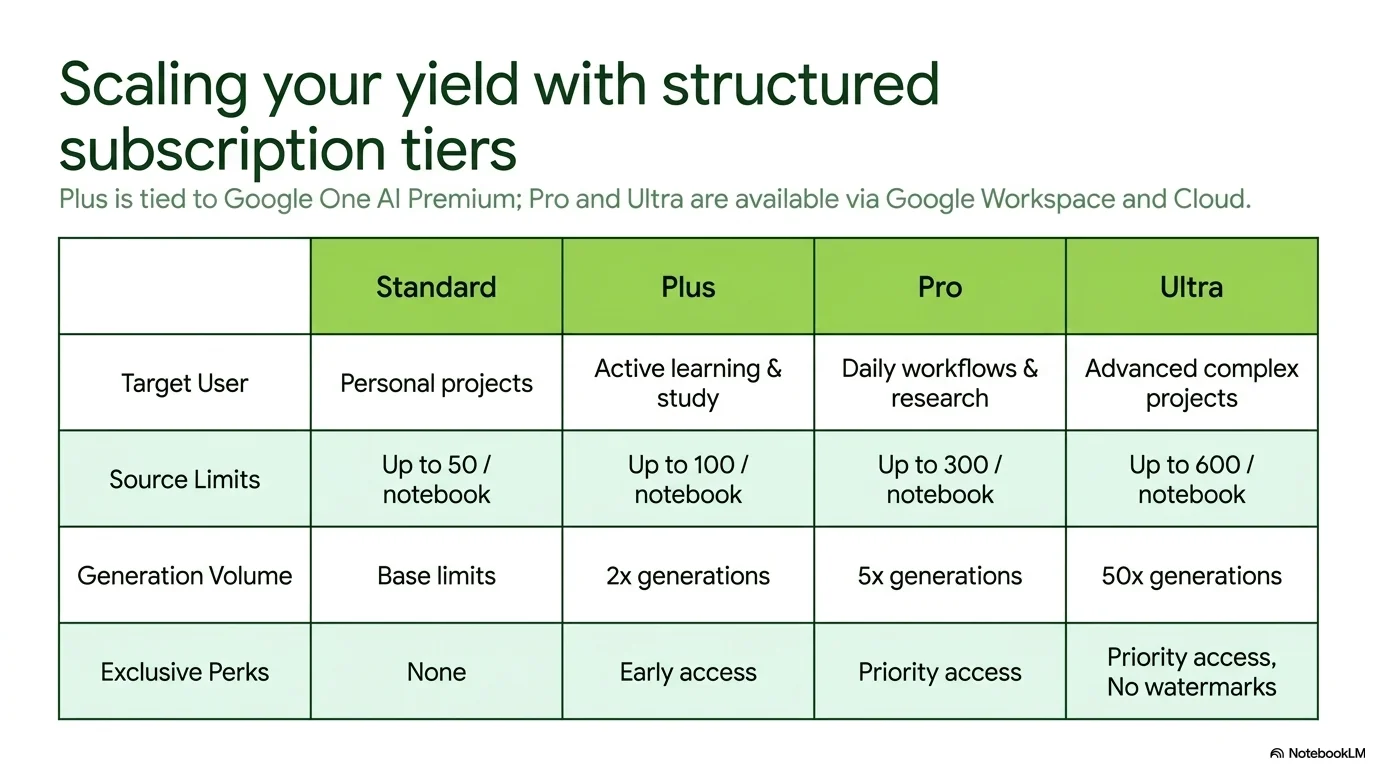
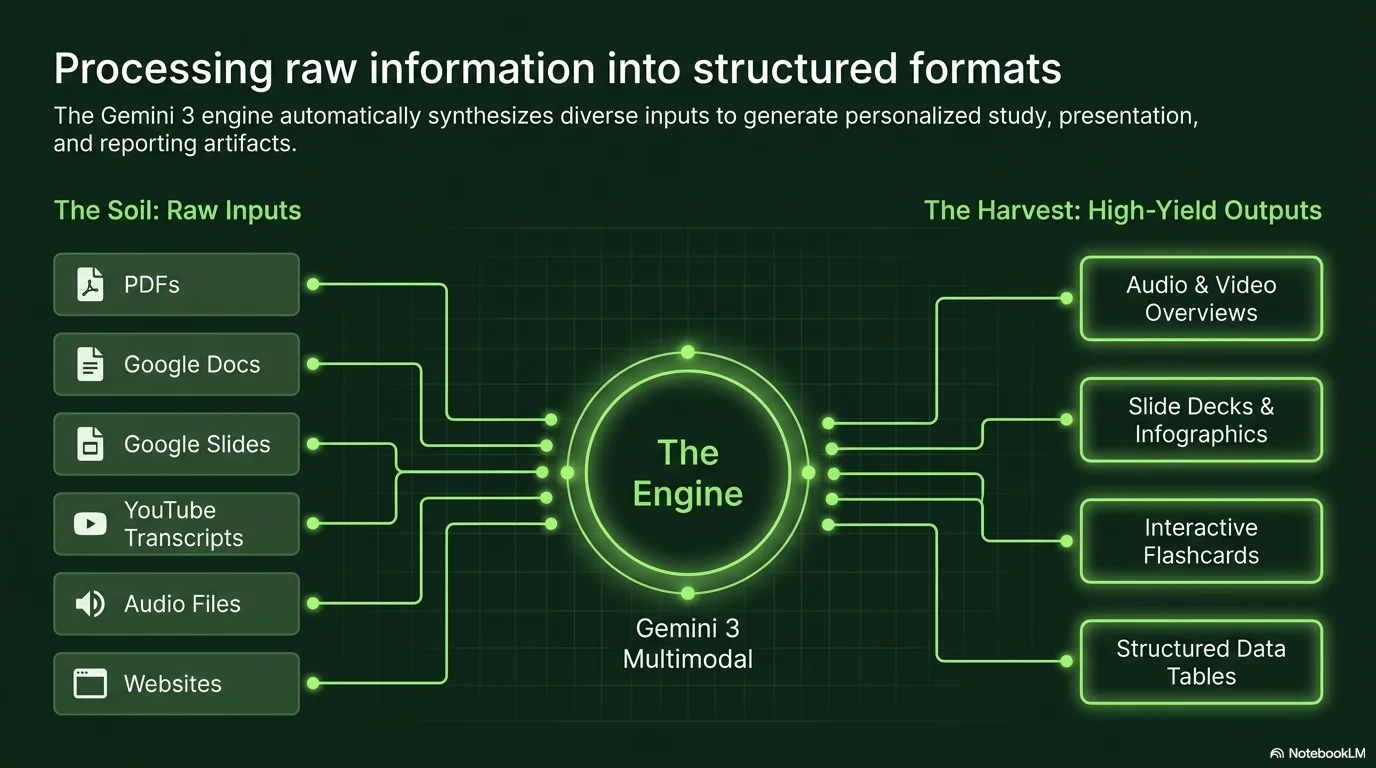
A clean and data-driven aesthetic for the future of farming and sustainable technology. It utilizes the neutral Canva Sans typeface to prioritize content clarity. Characterized by a monochrome palette of lush greens—from deep forest to vibrant lime—it features aerial crop photography, semi-transparent overlays, and structured roadmaps for a professional agro-tech feel.

Palette
- Background
#FFFFFF - Text
#1B5E20
Typography
- primary heading
- Canva Sans, sans-serif
- secondary heading
- Canva Sans, medium
- body text
- Canva Sans, regular
Key visual elements
- Aerial and macro photography of sustainable crops
- Semi-transparent green overlays for text readability over images
- Structured roadmaps and timelines with clean dots and lines
- Minimalist grid layouts for presenting tech features or data
YAML
description: "A clean and data-driven aesthetic for the future of farming and sustainable technology. It utilizes the neutral Canva Sans typeface to prioritize content clarity. Characterized by a monochrome palette of lush greens—from deep forest to vibrant lime—it features aerial crop photography, semi-transparent overlays, and structured roadmaps for a professional agro-tech feel."
design_system:
  global_style:
    theme: "Sustainable Agri. Technical and structured green design for innovation in agriculture."
    typography:
      primary_heading: "Canva Sans, sans-serif"
      secondary_heading: "Canva Sans, medium"
      body_text: "Canva Sans, regular"
    color_palette:
      primary: "#1B5E20" # Forest Green
      secondary: "#AED581" # Lime Green
      background: "#FFFFFF" # White
      surface: "#33691E" # Moss Green
      text_main: "#1B5E20"
      text_secondary: "#AED581"
    key_visual_elements:
      - "Aerial and macro photography of sustainable crops"
      - "Semi-transparent green overlays for text readability over images"
      - "Structured roadmaps and timelines with clean dots and lines"
      - "Minimalist grid layouts for presenting tech features or data"

  image_generation_prompts:
    style_guidelines: "Aerial agriculture photography, monochrome green color scheme, semi-transparent overlays, professional agro-tech atmosphere, structured and clean layout, Canva Sans font vibe."
    themes:
      - target: "Technology Roadmap"
        prompt_elements: "A field of crops with a digital grid overlay, vibrant lime and forest green tones, technical and futuristic agriculture."
      - target: "Team & Expertise"
        prompt_elements: "Farmers working in a sustainable greenhouse, soft green lighting, clean professional portrait style."

slide_layout_templates:
  - type: "Agri_Tech_Cover"
    usage: "Full-bleed crop photo with a large Canva Sans title in white over a semi-transparent dark green box"
  - type: "Green_Roadmap"
    usage: "Horizontal timeline with lime green markers on a dark forest green background"
  - type: "Data_Grid"
    usage: "Clean white background with moss green boxes for metrics and statistics"
  - type: "Field_Contact"
    usage: "Contact info over a blurred field background with vibrant green accents"






Connect & Share